
DJ Cables Explained: RCA, XLR, TRS and USB
Identify the common connectors and avoid buying adapters you do not need.
The short answer
Identify the common connectors and avoid buying adapters you do not need. The right choice depends on your equipment, intended use and how much complexity you actually need.
Match the signal, connector and distance
A cable is not just a plug that fits. Check whether the output is balanced or unbalanced, whether the destination expects line or microphone level, and how far the signal needs to travel.
Short RCA runs can be perfectly sensible at home, while balanced XLR or TRS connections are usually better for longer runs to PA equipment.
Do not solve every connection with an adapter
An adapter can change the physical connector without changing the electrical signal. Before buying one, identify the source output and destination input, then choose the simplest cable path that matches both. Fewer joins also means fewer points that can fail at a gig.
Map your own signal path
Write down every connection in your setup from controller to mixer or speakers, including the connector at both ends. Keep one tested spare for the cables that would stop the whole system if they failed.
A quick connector guide for common DJ setups
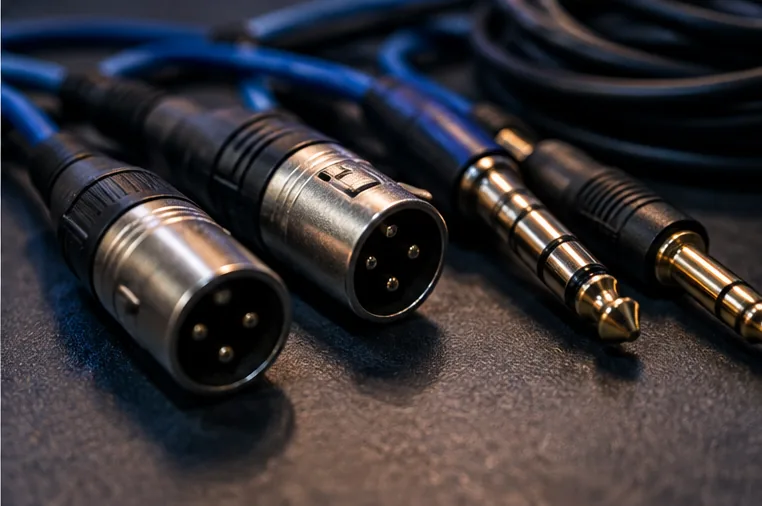
RCA usually appears on consumer and beginner DJ equipment and carries left and right audio on separate connectors. TRS and XLR can carry balanced line-level audio when both devices support it, which is useful for longer runs. USB normally carries digital data between a computer and controller rather than replacing the analogue master connection to speakers.
The connector shape alone does not tell you the signal type. A 6.35 mm socket might be balanced or unbalanced, line-level or something else. Check the labels and manual for both devices before ordering adapters.
Build a small cable kit around your actual outputs
Instead of buying one of every cable, start with the master output on your own controller or mixer and the inputs you are most likely to meet. Carry a spare for the main connection and label both ends so setup in a dark room is faster.
For gigs, add enough length to reach a venue mixer without stretching cables across walkways. Keep power and audio organised separately where practical, and replace damaged connectors rather than relying on a cable that only works when it is held at a particular angle.