
How to Connect a DJ Controller to Speakers: RCA, TRS and XLR
Choose the right route from controller outputs to powered monitors or a PA system.
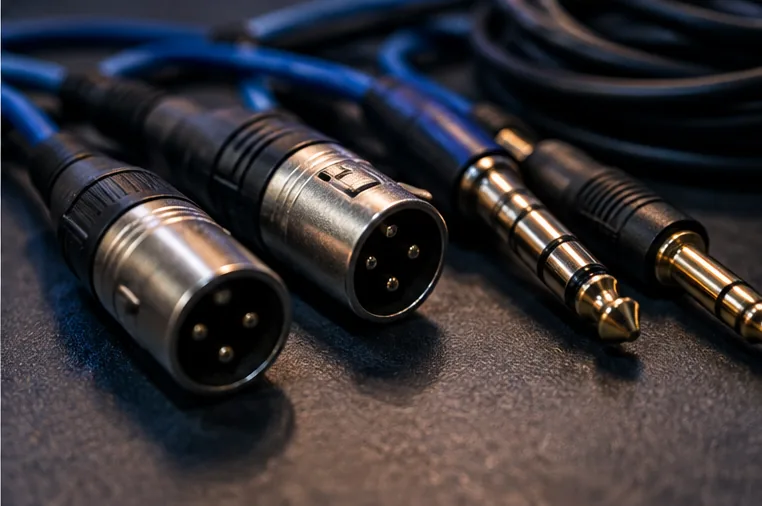
Identify the master output
Start at the controller. Look for MASTER OUT and note whether it uses RCA, 1/4-inch TRS or XLR. The connection type determines the cleanest cable path to your speakers.
Powered vs passive speakers
Powered speakers contain their own amplifier and can normally accept a line-level signal directly. Passive speakers require a separate amplifier. Most modern beginner home setups use powered monitors or powered PA speakers.
Balanced connections for gigs
Balanced XLR or TRS connections are preferable on longer cable runs because they reject interference better than unbalanced RCA. This is one reason professional controllers and mixers often provide balanced master outputs.
Avoid Bluetooth for the main DJ signal
Bluetooth introduces delay and may complicate monitoring. Use a wired connection between the DJ system and speakers whenever performance timing matters.
Set levels carefully
Start with speaker gain low, set sensible channel gain inside the DJ system, then raise the master and speaker level gradually. Avoid running every stage at maximum; clean gain structure matters more than raw loudness.
Three common connection examples
A beginner controller with RCA master output can connect directly to powered monitors that have RCA inputs. A controller with balanced TRS outputs can feed powered speakers with TRS or suitable TRS-to-XLR cables. A professional controller with XLR master output can connect to line-level XLR inputs on a PA or venue mixer.
Passive speakers are different: the controller should feed an amplifier or powered mixer designed to drive them. Do not connect a controller line output directly to passive speaker terminals.
If there is no sound, check the chain in order
Confirm the track is playing, the channel fader is up, the crossfader is not blocking that deck and the master meter shows signal. Then check the controller master level, the physical cable, the selected speaker input and the speaker input level.
Working from source to speaker is faster than changing several settings at once. If headphones work but the master meter is silent, the problem is inside the controller or software path. If the master meter is healthy but the speaker is silent, concentrate on the output connection and speaker.