
What Equipment Do You Need to DJ?
A no-nonsense guide to controllers, headphones, speakers, software and the extras you can postpone.
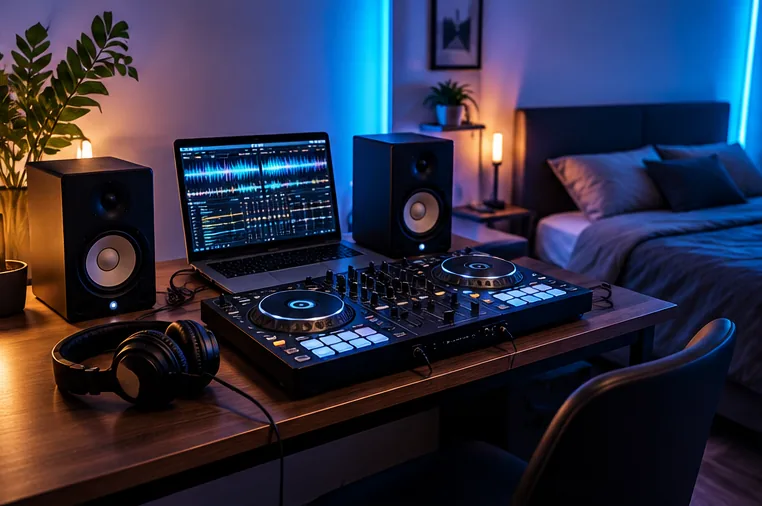
Core equipment
Most home DJs need a controller, a computer or compatible mobile device, DJ software and wired headphones. A controller gives tactile access to transport, EQ, channel faders and browsing. The computer or mobile device stores and analyses music. Headphones provide cueing so you can prepare the next track privately.
Watch: what a beginner DJ controller looks like
This manufacturer overview demonstrates one example of a complete two-deck controller layout; it is not a claim that everyone needs this particular model.
Manufacturer video · AlphaTheta / Pioneer DJ USA
DDJ-FLX4 — official controller overview
The manufacturer demonstrates the layout, controls and built-in features of the two-channel DDJ-FLX4.
FirstFader tip: Look at the jog wheels, performance pads, Smart Fader and connections. Check the current product manual for updated device and software compatibility.
View original on YouTube ↗The videos are published by the credited creators. The YouTube player loads only if you choose to play a video.
Speakers are useful, but context matters
For bedroom practice, compact powered monitors are convenient. For a house party or venue, small studio monitors are not a substitute for a PA system. The correct speaker choice depends on audience size, room, required volume and whether you need microphone reinforcement.
Cables are part of the system
The correct cable depends on the controller’s outputs and the speaker’s inputs. Consumer controllers often use RCA master outputs, while more professional equipment may offer balanced XLR or TRS. Buying the wrong cable is one of the easiest beginner mistakes to avoid.
Optional extras
A laptop stand, controller case, USB hub, microphone, lighting and spare cables may become useful later. Treat each as a response to a real use case. For gigging, backup power and spare connections become far more important than cosmetic upgrades.
The minimum setup depends on how you want to practise
For laptop DJing, the smallest practical system is a compatible computer, DJ software, a controller and headphones. Speakers can be added later. For phone or tablet DJing, you may also need the correct adapter or power arrangement for the controller. A standalone system replaces the performance computer but still needs headphones and a music source.
If you are learning on separate players and a mixer, the number of power and audio connections increases. That route can be excellent, but it is not necessary just to learn beatmatching, phrasing and track selection.
Add equipment when a real need appears
Monitors become useful when you want to practise room sound rather than only headphone cueing. A PA system becomes relevant when you need to cover an audience. A microphone matters for mobile events, speeches or announcements. Cases and backup equipment matter once the setup leaves home regularly.
This order keeps the first setup simple and makes each later purchase easier to justify. You do not need to own a complete event rig before you can begin learning.