
What to Check Before Buying a Used DJ Controller
A practical inspection list for second-hand controllers.
Compatibility first
Before travelling to collect a bargain, verify that the controller works with your operating system and preferred DJ software. Older hardware can be physically perfect yet awkward to use if drivers or software support have moved on.
Physical controls
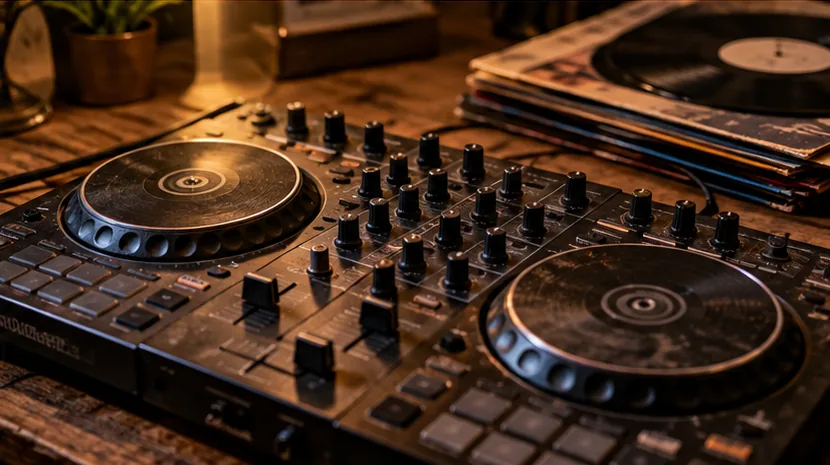
Test every channel fader, crossfader, jog wheel, performance pad, encoder and transport button. Scratchy pots, drifting faders or intermittent USB sockets may turn a cheap controller into an expensive repair.
Audio outputs
Listen to master output and both sides of the headphone output. Test microphone inputs where relevant. A controller that lights up correctly can still have damaged audio sockets.
Licensing assumptions
Do not assume an old software licence transfers with the hardware. Modern software often handles hardware unlock differently from older boxed licence systems, so confirm the current arrangement before buying.
Price the whole setup
If an old controller needs a proprietary power supply, unusual cable, paid software upgrade or replacement knobs, include those costs when comparing it with a newer model.
Run a 15-minute seller test
Power the controller from cold, connect it to compatible software and load a track on both decks. Test play and cue, jog response, pitch faders, channel faders, EQ, performance pads, headphone cue and the master outputs. Move controls slowly as well as quickly so intermittent faults are easier to hear or see.
If the model has screens, motorised parts, extra USB ports or microphone inputs, test those too. A seller who cannot demonstrate the basic functions should be treated as a higher-risk purchase even if the controller looks clean.
Know which faults are worth walking away from
Random disconnects, liquid damage, unreliable power sockets and missing proprietary power supplies can turn a cheap controller into a frustrating repair project. Heavy cosmetic wear is easier to price than an intermittent USB connection.
Ask what is included before you travel to collect it. A case can add value, but old software licence cards or account details may not. Price the controller based on the hardware you can verify and the accessories physically present.