
DJ Audio Crackling or Dropping Out? Practical Fixes
Isolate USB, buffer, CPU, cable and gain problems one step at a time.
Identify which kind of noise you hear
Digital crackles and short interruptions are different from constant electrical hum and from harsh distortion on musical peaks.
Dropouts may coincide with CPU spikes or USB interruptions; distortion may follow an overloaded channel or mixer stage; hum may be related to cabling and power layout.
Record when the fault happens, which output it affects and whether the controller is connected. This gives you a much narrower search.
Check the basic hardware path
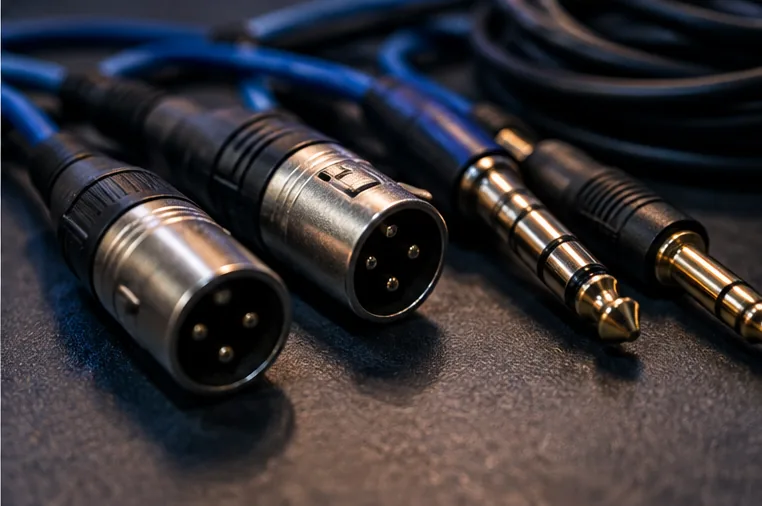
Use a sound USB cable connected directly to a reliable computer port where recommended. Avoid unpowered hubs and unplug unrelated high-demand USB devices during tests. Try a known-good output cable and test another speaker input at a low level.
Inspect whether the problem is in the headphones, master output or both. A faulty analog connector should not send you into a weekend of reinstalling DJ software.
Give audio processing enough time
Audio buffer size trades latency against processing headroom. A very small buffer may produce clicks on a busy computer, especially when running stems or multiple demanding effects.
Increase the buffer modestly, close unnecessary apps and disable background tasks that are causing interruptions. Do not assume that the largest buffer is always correct either: it can make scratching and cue response feel sluggish.
Check levels and thermal behaviour
If the meters regularly hit red, pull back channel gain and review master and speaker input levels. If problems appear only after the laptop has run for a long time, check power settings, ventilation and thermal throttling.
Update only drivers or firmware appropriate to your exact hardware and system; do not randomly install packages from unrelated models or unofficial download sites.
Build a repeatable pre-gig test
Play two tracks continuously for at least the length of a typical handover, trigger a few effects, monitor the headphones and listen to the master. Test on the computer and cables you will actually use.
Keep a fallback playback source and a known working set of cables so you have an alternative if a dropout reappears in front of an audience.