
How to Position Studio Monitors for Bedroom DJing
Speaker height, distance, symmetry and the quick checks that make a home DJ room easier to hear.
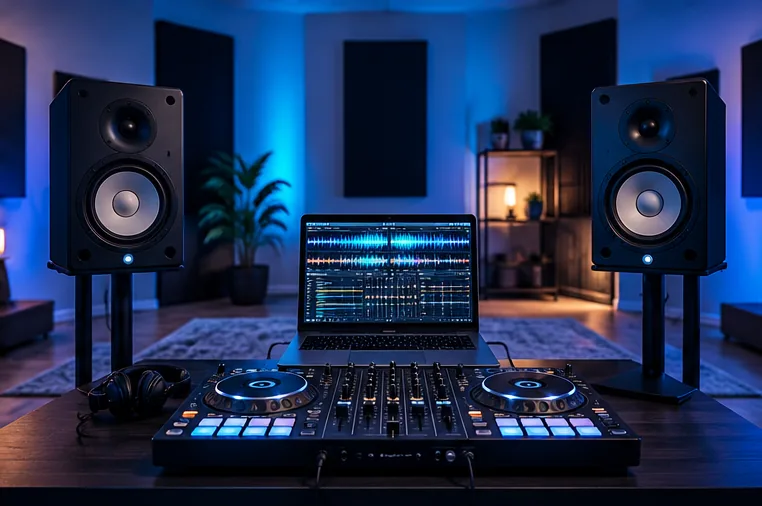
Start with a triangle
A useful starting point is to place the two monitors and your listening position at roughly equal distances, with the tweeters near ear height. Angle the speakers toward where you stand or sit to DJ.
The exact distance depends on the monitors and room, so consult the maker's placement advice. A more symmetrical layout usually makes it easier to judge the stereo image than putting one speaker on a shelf and the other under a desk.
Be cautious around walls and corners
Low frequencies build up differently near boundaries, and small bedrooms are rarely acoustically neutral.
If your speakers seem boomy, experiment with distance from the back wall within the manufacturer's recommended limits and avoid trapping one speaker deep in a corner.
Some monitors have room or boundary switches; use them according to the manual rather than making arbitrary EQ cuts in DJ software.
Keep vibrations under control
A desk that rattles when the bass hits can mislead you into turning the speakers down or up for the wrong reason. Sturdy stands or isolation supports can reduce vibration transfer.
They will not prevent bass travelling through the building, so be considerate of neighbours and practise through wired headphones when necessary.
Hearing protection and sensible listening levels matter even when the speakers are relatively small.
Listen with familiar reference music
Play a few tracks you know well at a moderate level. Stand at the normal DJ position and check whether vocals seem centred and whether bass balance changes drastically with tiny head movements.
Swap left and right connections if necessary to rule out a wiring error, and check both channels are playing. Avoid judging the sound while one monitor is hidden behind a laptop screen.
When to upgrade
If your current speakers are working well at sensible volume, buying a larger pair may be a poor use of money. First fix unstable positioning, cable faults and room layout. Studio monitors are for near-field listening; choose an appropriate PA system separately when you start performing for an audience.