
Balanced vs Unbalanced DJ Cables: RCA, TRS and XLR
Understand when balanced audio matters and what adapters can and cannot do.
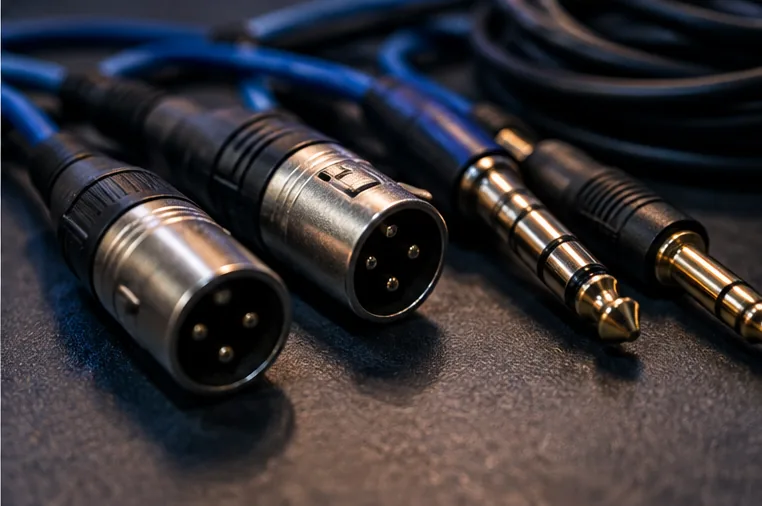
The connection types at a glance
RCA connectors are common on smaller controllers and consumer speakers and normally carry unbalanced line-level audio.
XLR connectors are common on professional mixers and powered PA systems; a balanced XLR input or output is only balanced if the electronics and wiring support it.
TRS sockets can carry balanced mono audio, stereo headphone audio or other signals depending on the device, so the connector shape alone is not enough to identify its purpose.
Why balanced lines can help
A balanced connection carries a signal in a way that allows a suitable receiving input to reject interference picked up along the cable. This is most useful on long cable runs near lighting, electrical equipment or other sources of noise.
It does not make music automatically louder or more detailed, and a short good-quality RCA run in a quiet bedroom can work perfectly well.
What a passive adapter does
An RCA-to-XLR cable changes the connector; it does not necessarily create a properly balanced output. You may still have the practical limits of the original unbalanced connection.
If you frequently run long distances from an RCA-only controller into a venue PA, consider a suitable DI box or line-level balancing interface with the right input sensitivity and grounding arrangement. Read the manuals for both ends rather than buying cables by appearance.
Stereo requires two channels
For a normal stereo master from a DJ controller, left and right audio need separate signal paths unless using an interface specifically designed for a different format.
One XLR cable usually carries one mono balanced channel, not both stereo channels. Label cables and check the speaker or mixer pan settings to avoid losing instruments that were mixed off-centre. Never connect speaker-level amplifier output to a controller's line input.
Which to choose
Use the output your equipment actually provides and the input your destination supports. For home monitors next to the controller, short RCA may be fine.
For larger venues, balanced XLR/TRS output and proper gain staging are valuable when available. Where they are not, choose the proper signal-conversion solution rather than assuming an adapter changes the electrical properties.