
Choosing DJ Headphones: Isolation, Comfort and Practical Details
A useful checklist for headphones that survive real mixing sessions, from fit and cable design to cueing clarity.
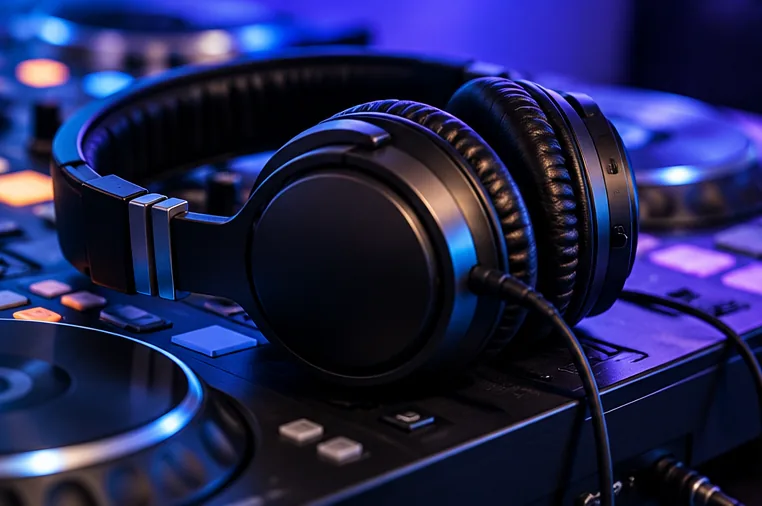
DJ headphones have a different job from casual listening headphones
When previewing a track, you often need to identify kick drums and timing while the room or monitors are already playing music.
That makes fit, passive isolation and intelligibility more important than simply choosing headphones with the most bass. A headphone that feels exciting for ten minutes may be uncomfortable through a two-hour session.
Fit and construction matter
Closed-back designs are common for cueing because they reduce some outside sound leakage and give a more controlled preview.
Try to assess clamping force, ear-pad pressure and heat; on-ear designs can be lighter while over-ear designs may distribute pressure differently.
Swivelling cups, replaceable ear pads and a sturdy hinge can matter if you regularly monitor with one ear covered.
Wired reliability and connector details
A wired headphone connection usually avoids the wireless latency that makes beat cueing awkward. Check the controller's socket size: many use a 6.35 mm jack, some use 3.5 mm, and others accept both. Look for a secure adapter if you need one.
A detachable cable makes replacement easier, but a permanently attached cable is not automatically inferior if it suits your use.
Loudness is not the same as clarity
Sensitivity, impedance and the controller's headphone amplifier affect achievable volume; no single impedance number tells you everything. Do not assume headphones will sound better simply because they are harder to drive. Choose something comfortable at a safe listening level and take breaks instead of compensating for loud monitors by increasing cue volume indefinitely.
What to test before buying used
Inspect the hinges and headband, play audio through both channels, gently move the cable near its connectors and check the ear pads for deterioration. Replace worn pads for hygiene and comfort if suitable spares are available. A used bargain loses its appeal if a damaged cable or proprietary pads are costly to replace.
A practical trial
Load a track with clear kick and hi-hat, cue it in headphones while another track plays quietly through your monitors, and decide whether you can follow the rhythm without an unpleasant volume. Adjust the headphones for five minutes rather than judging only the first few seconds. See our headphone cueing guide if the signal path is unfamiliar.