
Your First 20 Minutes With a DJ Controller
A minute-by-minute first session: route audio, load two tracks, cue safely and make one simple transition.
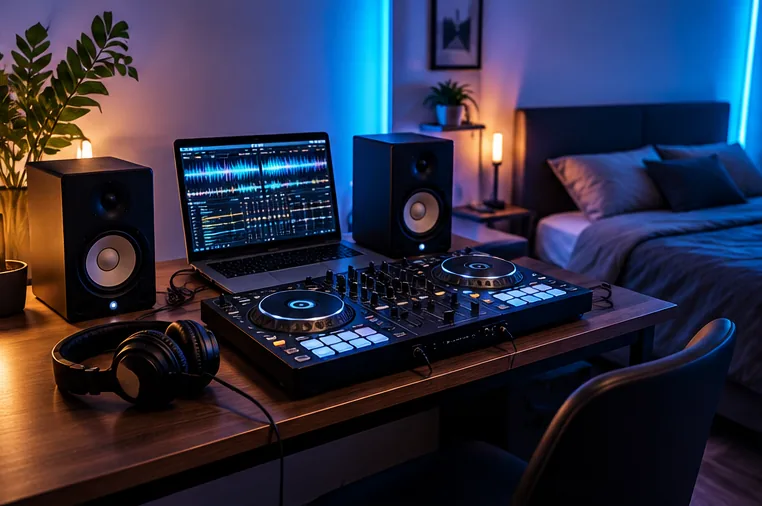
Before you start: make it a listening exercise
For this first session, choose two tracks that have clear drums and roughly similar tempos. You are not trying to perform an impressive mix; you are learning where sound comes from and how the two decks interact.
Set the master output low, connect your headphones directly to the controller if it has a headphone socket, and place your computer where you can read the software without reaching over your equipment.
Never put headphones on at a high unknown volume.
Watch a real first mix on the DDJ-FLX4
An independent tutorial that shows the hand movements, cueing and sound level checks behind the beginner exercise.
Independent DJ tutorial · Crossfader
DDJ-FLX4 beginner lesson and first mix
An independent DJ educator demonstrates setup, audio levels, cueing and a first track transition on the DDJ-FLX4.
FirstFader tip: Watch the sound-check and headphone-cue sections before attempting the first transition. This is third-party instruction, not an official manufacturer review.
View original on YouTube ↗The videos are published by the credited creators. The YouTube player loads only if you choose to play a video.
Minutes 0–5: confirm the audio route
- Connect and power the controller as its manufacturer specifies.
- Open your compatible DJ software and select the controller's audio device if needed.
- Load one track on Deck 1. Put its channel fader up, channel gain in a sensible starting position and crossfader to the correct side or centre.
- Start playback. Raise the master carefully until you can hear the track through the intended speakers or output.
If the audio plays from your laptop instead, check the software's output device before touching lots of unrelated controls. A controller is often an audio interface as well as a set of buttons, but its exact routing varies by model.
Minutes 5–10: learn cue and headphone preview
While Track 1 plays through the master, load Track 2 and keep its channel fader down. Press the headphone cue button for Deck 2. Use the headphone mix control to listen to the incoming track, rather than accidentally exposing it to the room. Find its first strong downbeat and pause or cue there. If you cannot hear it, use our headphone cue troubleshooting guide before attempting a transition.
Minutes 10–15: line up the start
Set the two tracks to similar BPM values; using Sync for this first experiment is fine. Count four beats on Track 1 and launch Track 2 on the next musical 'one'. Keep Deck 2 in the headphones for a few bars.
Check whether its kick remains aligned with the outgoing track. If it drifts, stop and try the launch again instead of wrestling every control at once.
Minutes 15–20: make one gentle mix
Bring Deck 2's channel fader up gradually at a phrase boundary. If both tracks have heavy bass, reduce the incoming low EQ until you are ready to move the bass across. Lower Deck 1 over the next few bars.
Record a short attempt if your software allows recording of your chosen music source. Listen back once: did your timing, level or phrase alignment cause the roughest moment?
Your finish line: make one transition you can explain. You should know which channel is audible, which deck is being previewed and how to recover by bringing the original track back in. For a longer routine, continue with the 30-day practice plan.