
Do You Need a Separate Audio Interface for a DJ Controller?
Find out when a controller’s built-in sound card is enough and when an external interface helps.
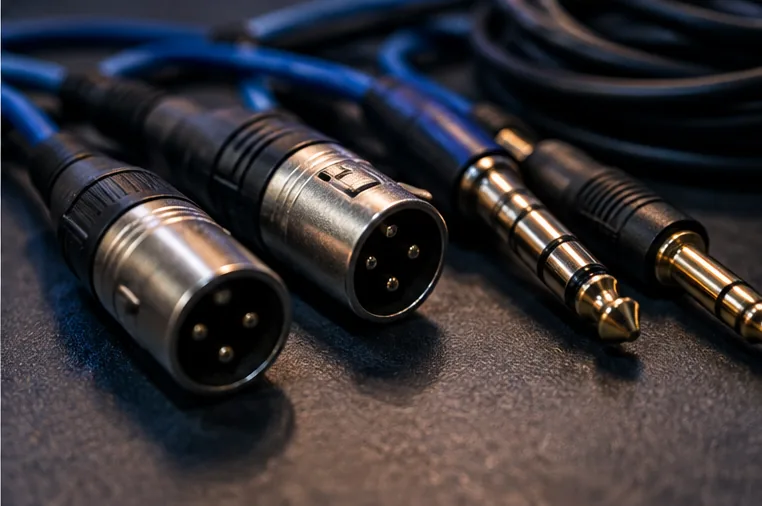
Most modern controllers handle their own outputs
Many contemporary DJ controllers include a built-in audio interface, sometimes called a sound card.
This lets compatible DJ software route its main stereo mix to the controller's master output while sending independent headphone cue audio to the headphone socket.
When that works correctly, adding another external interface is usually unnecessary for ordinary bedroom practice.
Why people mistakenly buy an extra interface
A beginner hears 'you need an audio interface to connect speakers' and assumes they must buy a separate box. But their controller may already provide RCA, TRS or XLR master outputs.
In that case the immediate question is what cable suits the speakers, not whether a new interface will improve the mix. Check your model's manual and the actual sockets before spending.
Cases where an additional interface can help
An interface can be useful when a software-only setup needs independent master and cue outputs, when recording external sources, or when connecting additional inputs in a production workflow.
It may also suit DJs building hybrid performance rigs with instruments or microphones. However, more audio devices introduce more routing decisions and potential driver/clock complications.
Watch out for incompatible routing assumptions
An ordinary stereo computer headphone socket normally carries only one stereo mix, not independent stereo master and cue channels.
Similarly, plugging USB headphones into a computer while expecting your controller to handle the main mix may require software settings that differ by application.
Even if two devices can be combined, this can create latency and stability issues if their audio clocks are not managed properly.
A four-step purchase check
- Find your controller's documented master and headphone outputs.
- Confirm that the DJ software supports that audio-routing configuration.
- Match the master output to the intended speakers or venue mixer.
- Only investigate another interface if a genuine unmet routing or recording need remains.
For real-world cabling, read controller-to-speaker connections and balanced versus unbalanced audio. The simplest reliable signal chain is usually the most useful one for a first setup.